ezyLiv App - Download to Control & Monitor Real-Time Video Streaming
In today’s fast-paced world, security and convenience are two things we all value. Whether you're keeping an eye on your home, monitoring a business, or just ensuring that everything is running smoothly in a remote location, having the ability to control and view live video feeds from your mobile device can be invaluable. This is where the ezyLiv App comes in. It is a powerful tool that allows Android and iOS users to remotely access and control video streams from their devices.
In this article, we'll walk you through the features of the ezyLiv App, how to download it, how to use it effectively, and why it's a must-have application for anyone needing remote video monitoring and control.
Why Choose the ezyLiv App?
The ezyLiv App offers a unique blend of user-friendly design, advanced technology, and flexible features. With a wide range of capabilities from controlling live video streams to managing device settings remotely, the ezyLiv App empowers you to manage your devices with ease, even from miles away.
Here are some of the key features of the ezyLiv App:
User-Friendly GUI: Designed for both beginners and advanced users, the ezyLiv App has an intuitive, easy-to-navigate interface.
Scan QR Code to Add Devices: Adding new devices to the app is effortless with its QR scanning feature. No complicated setup required—just scan the code and you’re ready to go.
Flexible Live Preview: View live video feeds from your device at any time, whether you're at home or on the go.
Push Notifications: Stay informed with instant push notifications to alert you of important events or issues.
PTZ Control (Pan, Tilt, Zoom): Take full control over your device’s camera with PTZ functionality for precise video monitoring.
Remote Configuration: Change device settings remotely without needing to be physically present.
Two-Way Talk: Communicate directly through your device with two-way audio, making it perfect for intercom purposes or remote communication.
Device Health Monitoring: Keep track of your device’s online/offline status for peace of mind.
Download the ezyLiv App on Your Device
For Android Users:
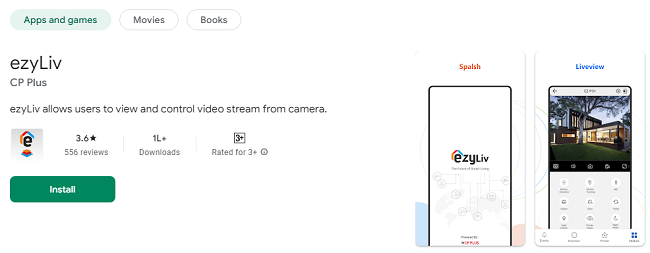
Visit the Google Play Store: Open the Google Play Store app on your Android smartphone or tablet.
Search for ezyLiv: Type "ezyLiv" into the search bar.
Download and Install: Find the ezyLiv App in the search results, tap on it, and press the Install button.
Launch the App: Once installed, tap Open to launch the app and begin using it.
For iOS Users:
Go to the App Store: Open the App Store on your iPhone or iPad.
Search for ezyLiv: In the search bar, enter "ezyLiv."
Install the App: Find the ezyLiv App in the results, tap Get, and enter your Apple ID password or use Face/Touch ID to authenticate the download.
Start Using: Once the installation is complete, tap Open to start using the app.
How to Set Up and Use the ezyLiv App?
Once you’ve downloaded the ezyLiv app, it's time to set it up and start enjoying all its features. Here's a step-by-step guide to help you get started:
1. Creating an Account and Logging In
Launch the ezyLiv App: Open the app after installation.
Sign Up: If you’re a new user, you’ll be prompted to create an account. Enter your details, including an email address and a strong password.
Log In: After signing up, log in with your newly created credentials.
2. Adding Devices Using QR Code Scan
One of the standout features of the ezyLiv App is the simplicity of adding new devices to the app. Instead of manually entering device details, you can simply scan a QR code to add the device quickly.
Open Device Settings: In the ezyLiv App, go to the device management section.
Scan QR Code: Use the app's built-in scanner to scan the QR code provided by your device. The app will automatically recognize the device and add it to your list.
Complete Device Setup: Follow the on-screen instructions to complete the device setup, such as connecting to your Wi-Fi or configuring any additional settings.
3. Viewing Live Video Feeds
Once your device is added to the app, you can begin viewing live video feeds right away. The ezyLiv App offers a Flexible Live Preview, meaning you can access video streams from anywhere.
Access Live View: Tap on the device name in the app’s dashboard to view the live feed from that device.
Adjust View: You can zoom in, tilt, or pan the view using the PTZ (Pan, Tilt, Zoom) controls. This feature allows you to precisely adjust the camera angle to get the best possible view.
4. Using PTZ Controls
The PTZ functionality is a game-changer for those who need fine control over their video surveillance. You can manually adjust the camera to get the perfect view of any area, whether you're tracking movement or adjusting for the best angle.
Pan: Move the camera left or right.
Tilt: Adjust the camera’s up or down angle.
Zoom: Get a closer look at specific areas by zooming in.
5. Remote Configuration of Device Settings
ezyLiv allows you to modify your device settings remotely. This is particularly useful when you need to adjust the configuration of your camera, microphone, or other connected devices without needing to be physically present.
Access Settings: Tap on your device, then go to settings.
Make Changes: You can configure settings such as video quality, motion detection, notifications, and more.
Save Changes: After making your adjustments, save the settings. The device will update without requiring you to be physically near it.
6. Two-Way Audio Communication
The two-way audio feature enables you to have a conversation with anyone near your device, even if you’re far away. Whether you're using it for intercom purposes, checking in on your family, or communicating with colleagues, the ezyLiv app offers clear and efficient two-way communication.
Tap the Microphone Icon: During a live feed, tap the microphone icon to speak through the device.
Listen to Audio: The app also allows you to listen to audio from the device, making it easier to communicate with those in the area.
7. Push Notifications for Instant Alerts
To keep you informed, the ezyLiv App provides real-time push notifications. These notifications can alert you when motion is detected, when the device goes offline, or when there are any other important events related to the device.
Enable Notifications: Ensure that push notifications are enabled in your phone’s settings for the ezyLiv App.
View Alerts: Whenever an alert is triggered, the app will send a notification to your device, allowing you to respond promptly.
8. Device Health Monitoring
One of the key features of the ezyLiv App is the ability to monitor your device's health, which includes tracking whether the device is online or offline.
Check Device Status: On the app’s main dashboard, you’ll see a status indicator for each device.
Receive Offline Alerts: If a device goes offline, you’ll receive an alert so you can quickly troubleshoot the issue.
Why You Should Use the ezyLiv App?
There are many reasons why the ezyLiv App is becoming a go-to solution for mobile video streaming and control. Here’s a summary of the benefits:
1. Convenience
With ezyLiv, you can access your devices from anywhere, whether you're at home, at work, or traveling. The app provides real-time access to live video streams, giving you peace of mind wherever you are.
2. Ease of Use
The ezyLiv App is designed to be intuitive and user-friendly, ensuring that both beginners and tech-savvy users can easily set up and operate it. The process of adding devices, configuring settings, and viewing live streams is quick and simple.
3. Comprehensive Control
The PTZ (Pan, Tilt, Zoom) feature offers detailed control over the camera’s positioning, allowing for precise adjustments. Whether you’re monitoring your home or business, you can trust ezyLiv for comprehensive video control.
4. Secure and Reliable
ezyLiv takes your security seriously. With push notifications, remote configuration, and device health monitoring, you can rest assured that you’ll always be in control and receive timely updates about your device’s status.
5. Two-Way Communication
Being able to communicate through the app’s two-way audio feature adds an extra layer of convenience. Whether you want to speak to someone near your camera or simply listen in on the surroundings, this feature is incredibly valuable.
6. Free to Download and Use
The ezyLiv app is free to download and offers a wide range of features without any subscription fees. It's an accessible tool for anyone who needs live video streaming and device management capabilities.
Final Thoughts
In today’s world, staying connected and in control of your environment is more important than ever. The ezyLiv App provides a robust, easy-to-use solution for monitoring and controlling your devices remotely, whether you're checking in on your home security system, managing a business, or simply keeping an eye on loved ones.
With features like push notifications, PTZ control, two-way audio, and device health monitoring, the ezyLiv App delivers an all-in-one solution for managing and monitoring video streams on your mobile device. It’s ideal for both personal and professional use, ensuring that you have the tools you need to stay informed and connected no matter where you are.
Trending Now
Updates